The Assessment Manager section on RiskXchange is designed to configure and manage the assessment process for connections within the platform.
Key Features of Assessment Manager
1. Centralized Assessment List:-
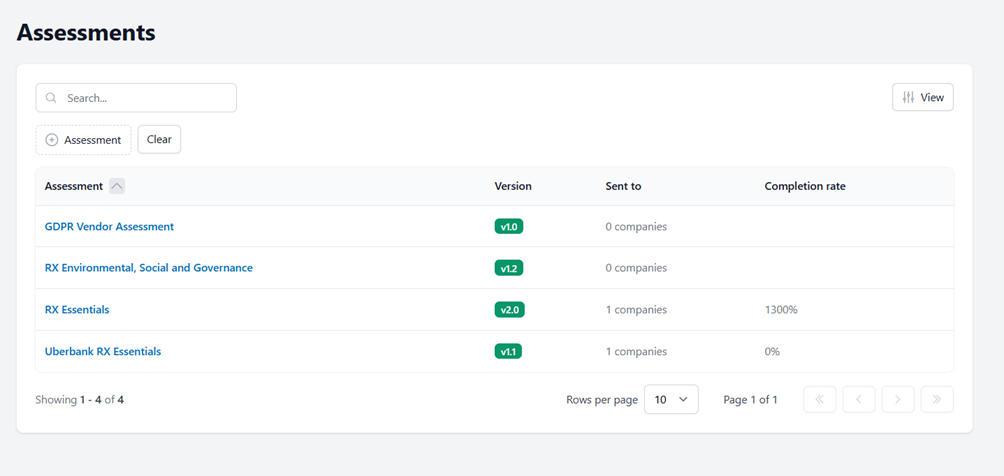
- The section presents all available assessments in an organized list format.
- Each assessment is displayed with relevant details, including:
- Assessment Name
- Version
- Number of companies the assessment has been sent to
- Completion rate
2. Tracking and Reviewing Assessment Status:
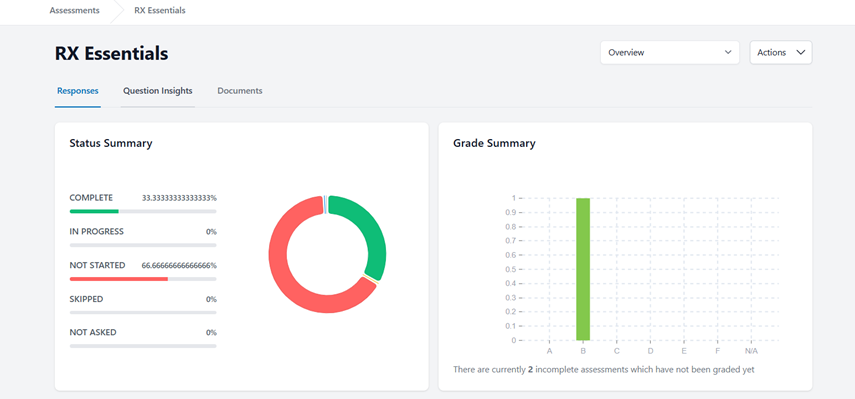
Users can click on a specific assessment to review its completion statistics (Completed, In Progress, Not Started, Skipped, Not Asked) and Grade Summary.
-
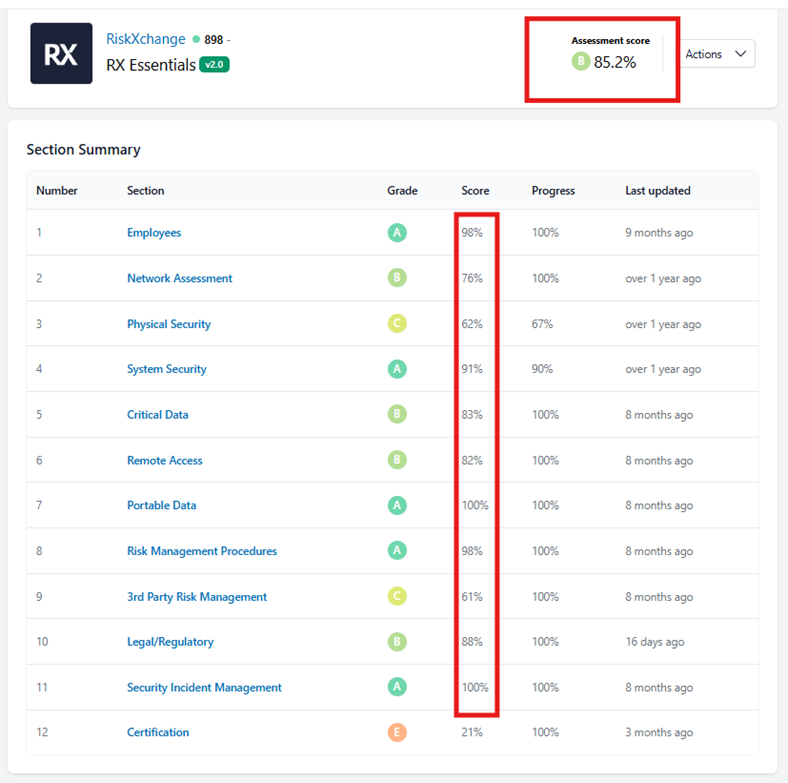
- Each section within an assessment is assigned a score based on responses.
- A cumulative score is calculated for the entire assessment, offering an overall
In conclusion, Assessment Manager empowers users to efficiently track assessment progress, review responses, and enhance risk evaluation processes in the supplier chain. With this feature, companies can maintain a structured and proactive approach to risk management, ensuring stronger compliance and security.